5 disconnected tools
Quotes in one app, jobs in another, hours in a third. You pay for all of them and still copy between them.
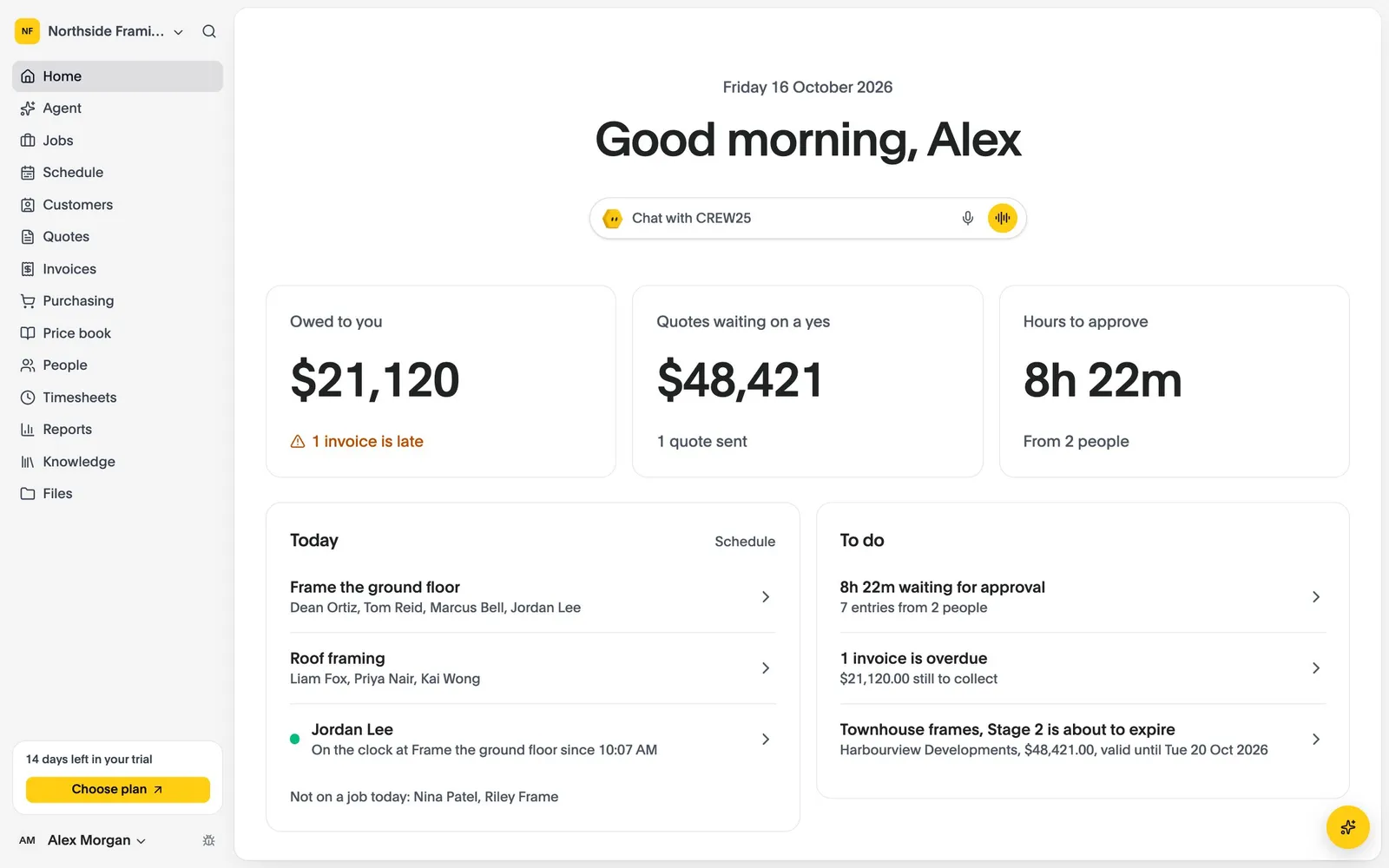
CREW25 combines everything you need to run your jobs with an AI you can talk to — so you spend less time on admin and more time growing the business.
14-day free trial, no credit card required.
CREW25 AI in the iPhone app, answering questions about the business: what needs attention today, drafting a quote, who is free for a job, what is still owed and replying to a customer's email.

I chased up an invoice
INV-0027 was a week overdue, so I reminded Jane Smith by email and text.
Quote has been sent
Priced the Anands’ carport from your price book and sent it once you’d checked it.
Your morning update
3 jobs on today. 2 invoices are overdue.
I shuffled the crew
Jordan’s off sick, so Tom has his Friday at 12 Main St. Both have been told.
Quotes in one app, jobs in another, hours in a third. You pay for all of them and still copy between them.
Rates, quotes and timesheets live in files only one person can find. Every job starts from a copy of the last.
Costs sit in one place and prices in another, so you only learn what a job made after the money is gone.
CREW25 puts your quotes, crews and costs in one place. Ask its AI in plain words, typed or spoken. It works from your own jobs, schedule, hours and price book, and checks with you before it changes anything.
From the first enquiry to the last invoice.
Ask for today’s jobs, what’s overdue, a quote or the week’s hours, typed or spoken. CREW25 AI works from your own business, and anything important, it checks with you first.
Learn more about CREW25 AISay the job on site and CREW25 AI drafts the quote from your own price book. Send it by email or text, and once the customer accepts online, the job starts at the quoted price.
Learn more about Quotes & invoicesDrag people onto jobs by day, week or month. Time off and people with nothing planned are always in view, a delayed job moves with its crew in one step, and any change can be undone.
Learn more about Schedule & mapOverheads are applied once, labour is costed by person and date when hours are approved, and supplier bills and purchase orders land on the job they were for.
Learn more about Job costing & reportsEach stage is invoiced from the job and synced to Xero. Reminders go out until it’s paid, and payments come back from Xero and card payments by themselves.
Learn more about Quotes & invoicesA native app that shows each person what they need: their schedule, the job, hours, forms and photos. Everything made offline syncs when the signal returns. On the App Store for iPhone and Google Play for Android.
Learn more about Mobile appConnect your email, calendar and files and CREW25 AI reads, drafts and books for you, asking before it changes anything.
 Gmail
 Google Calendar
 Google Drive
 Google Sheets
 Google Docs
 Google Slides
 OutlookOutlook Calendar
 OneDrive
 Xero
 MYOBComing soon
 QuickBooksComing soon
One job model for a five-minute service call and a twelve-week project. Pick your trade to see how it fits.
 Building & constructionQuote, schedule and cost every build
 Carpentry & framingQuote frames, plan crews and track margin
 ElectricalQuote, schedule and invoice every job
 PlumbingQuote, book and invoice every job
 PaintingQuote by the room and plan your crews
 LandscapingQuote jobs, plan crews and order materials
 Plastering & ceilingsQuote by the square metre and track every job
Set up your business, bring your team and run your next jobs in it. No credit card needed.